
Text Scanner
The Text Scanner analyzes pasted text for potential misinformation patterns, narrative framing, and rule-based signals. Paste any text into the Text Scanner field and click “Scan”.
Best for: Articles, posts, statements, transcripts.
What you get: Rule matches, pattern hints, and potential areas of concern.
Tip: Longer samples often produce more meaningful patterns.
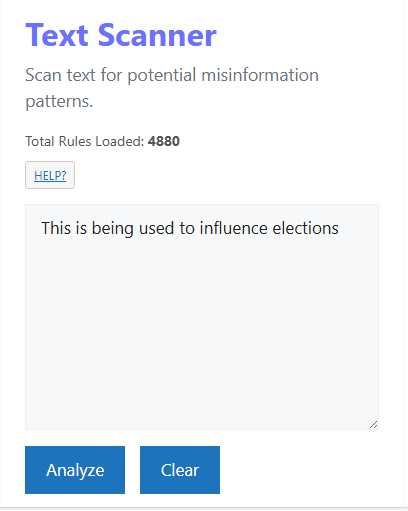
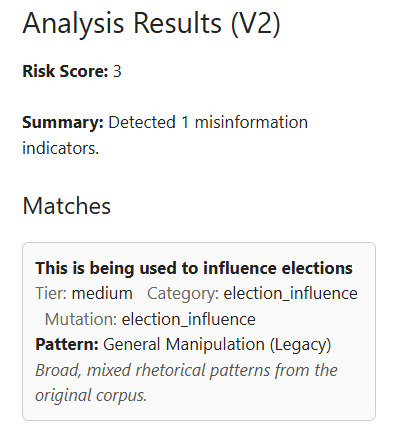
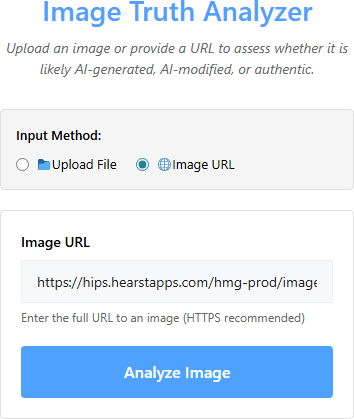
Image Truth Analyzer
The Image Truth Analyzer evaluates images for signs of AI generation, manipulation, or synthetic artifacts. You can upload an image file or provide an image URL.
Best for: Suspected deepfakes, AI art, edited photos.
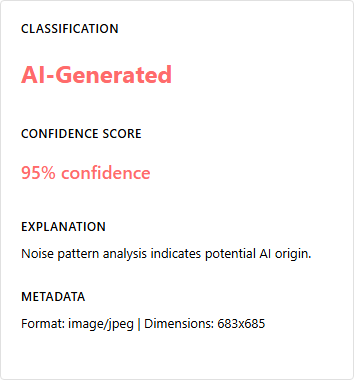
What you get: Signals related to texture, lighting, composition, and anomalies.
Tip: Higher-resolution images generally yield better analysis.

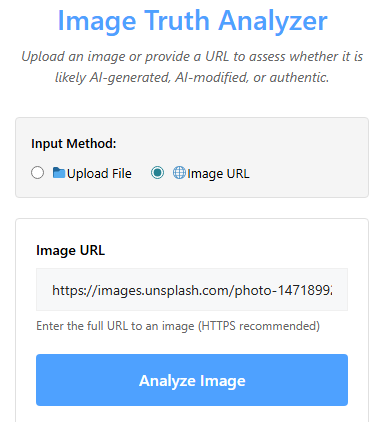
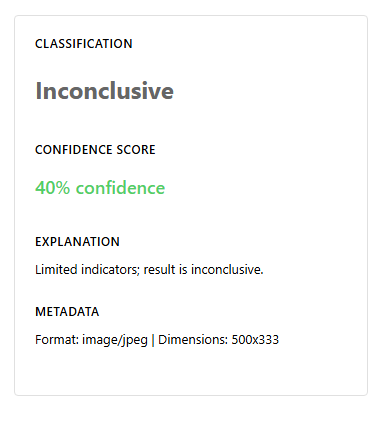
Image Analyzer Limitations
These examples show cases where the Image Truth Analyzer did not flag manipulation, despite visual cues. They help illustrate edge cases and areas for future rule improvement.

Rule Browser
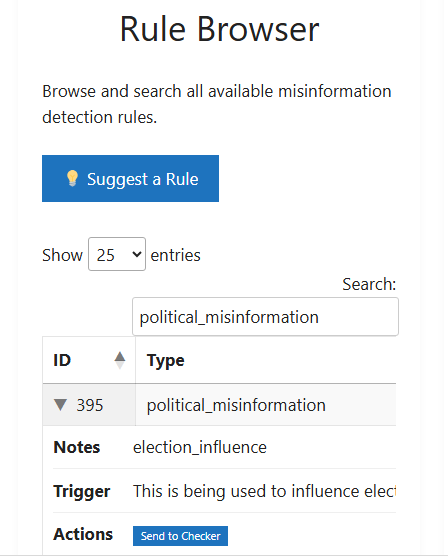
The Rule Browser lets you explore the rules that power DirectiveOS analysis. You can search, filter, and inspect rule definitions to understand how the system interprets patterns.
Best for: Power users, auditors, researchers.
What you get: Rule names, categories, descriptions, and tags.
Tip: Use keywords related to themes (e.g., “delegitimization”, “certainty”).
Search History
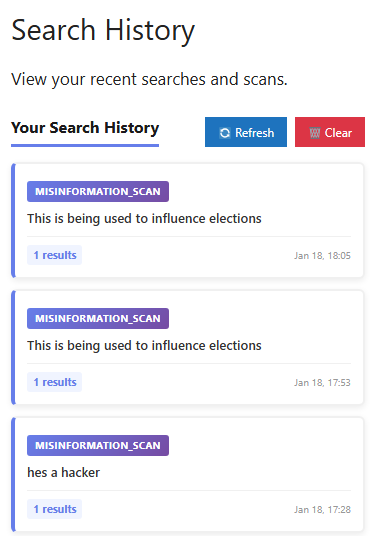
Search History shows your recent scans so you can revisit, compare, or re-run them. Depending on your role, you may see more or fewer historical entries.
Best for: Tracking investigations over time.
What you get: Past queries, timestamps, and quick access to re-scan.
Tip: Use history to compare how narratives evolve over time.
Suggest a Rule
Use “Suggest a Rule” to propose new patterns, phrases, or behaviors that you believe should be detectable by DirectiveOS. These suggestions help improve the ecosystem over time.
Best for: Users who see recurring patterns in the wild.
What you get: A channel to influence future rule development.
Tip: Include examples and context when suggesting a rule.